Built for dev consultancies

Project management
for dev shops.

One flat price.

Kanban boards, time tracking, client portal, and QuickBooks integration — everything your shop needs to run client work. No per-seat pricing, ever.

14-day free trial
Flat monthly pricing
Unlimited users
Built for shops of 2–10
app.digitaldevflow.com
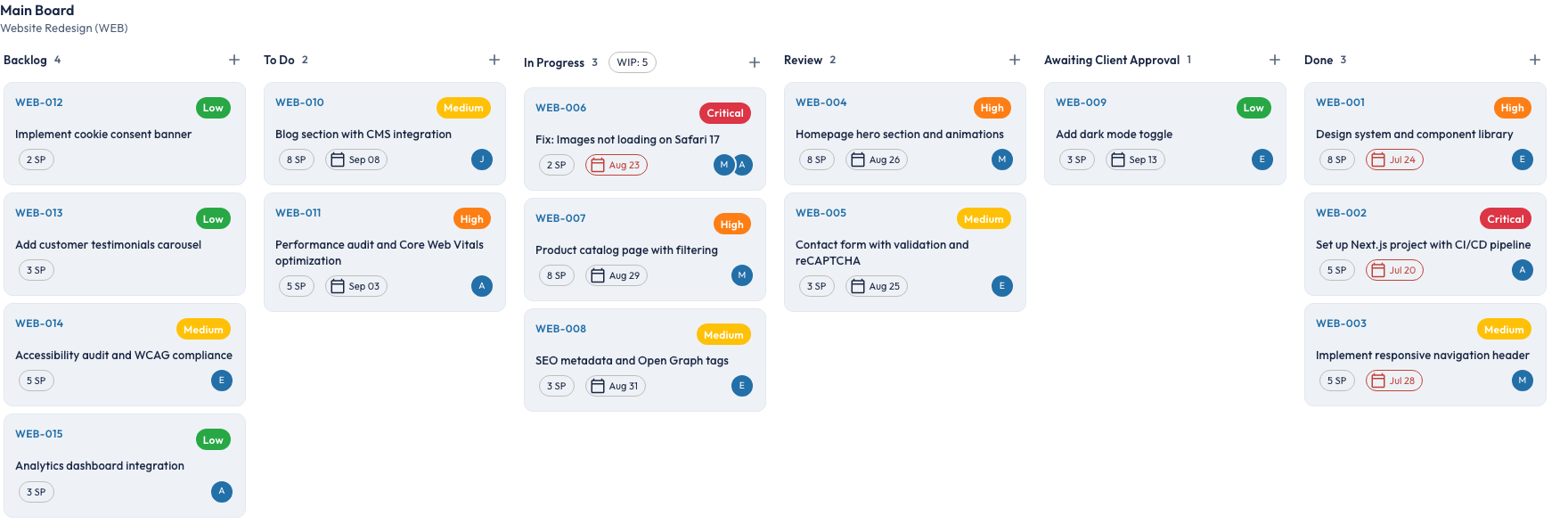
DevFlow Kanban board showing project tickets across workflow columns

The Problem

Running a dev shop shouldn't mean juggling five tools.

Tool sprawl

You're duct-taping Planner, TrackingTime, and shared drives together — and none of them talk to each other.

Per-seat pricing punishment

Every tool charges per user. Add a contractor for a month and your bill jumps. Add two and you're reconsidering the whole stack.

Client visibility gap

Clients want status updates. You're copying ticket notes into emails. There's no clean way to give them a window into the work.

The Solution

Everything your shop needs. Nothing it doesn't.

Workflow

Kanban boards that match how you actually work

Customizable columns with ticket hierarchy — Tenant, Client, Project, Board. Drag-and-drop with status categories that normalize across all projects. See everything, or drill into one client.

app.digitaldevflow.com
DevFlow Kanban board with tickets across workflow columns

Transparency

A client portal they'll actually use

Give clients their own login to view project status, post comments, and approve deliverables — without seeing your internal notes or communications. Status updates without the status meeting.

app.digitaldevflow.com
DevFlow client portal showing project status and activity

Billing

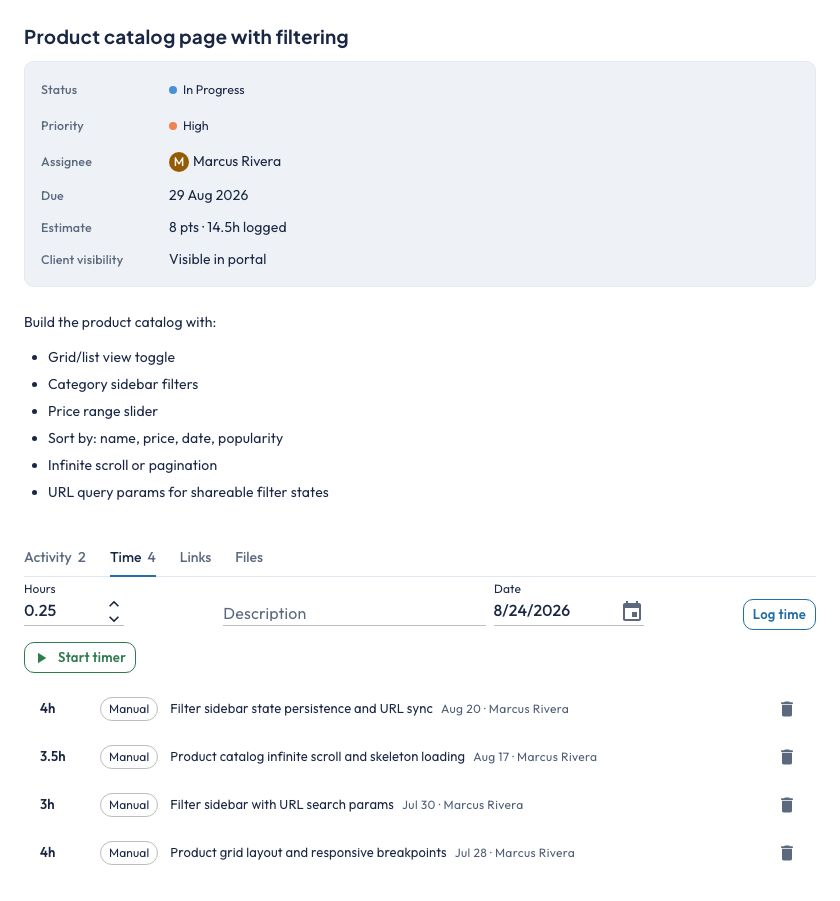
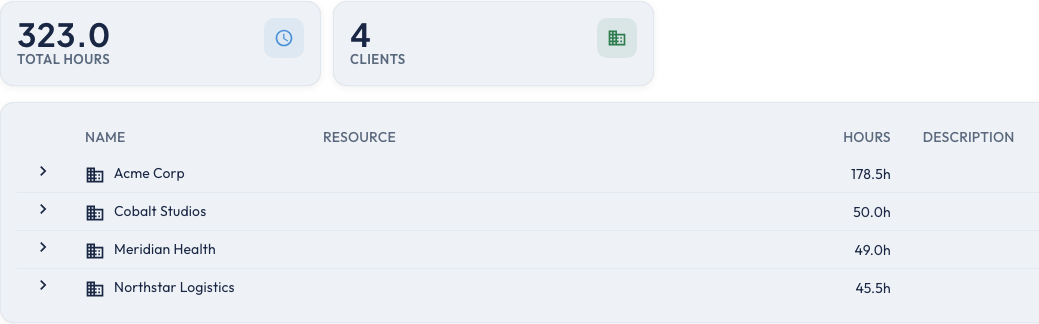
Time tracking that flows into QuickBooks

Log billable and non-billable hours by ticket. Run time-by-client reports and export directly to QuickBooks as draft invoices with one click. No manual re-entry, no copy-paste.

app.digitaldevflow.com
DevFlow time tracking with QuickBooks sync indicator

Client Approval Workflow

Send deliverables for formal client sign-off. Clients approve or request changes through the portal. Full audit trail of every approval cycle.

Project Budgets & Retainers

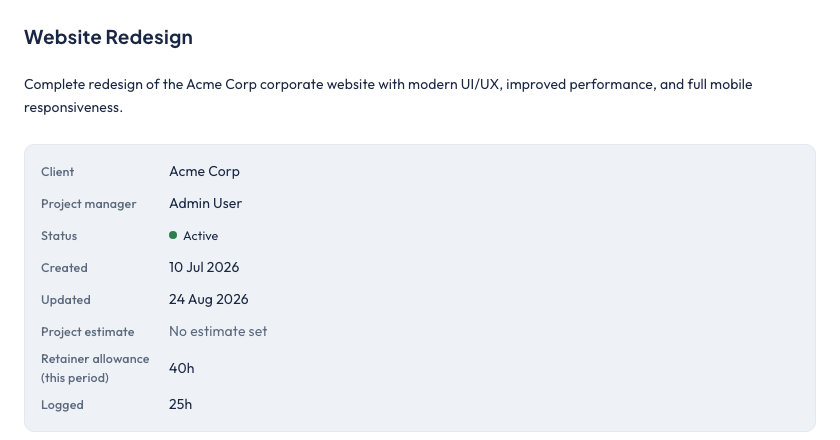
Set Fixed Fee, T&M, or Retainer budgets per project. Track burn in real time. Get alerted at 75% and 90%. Retainers auto-reset with configurable rollover.

Email-to-Ticket

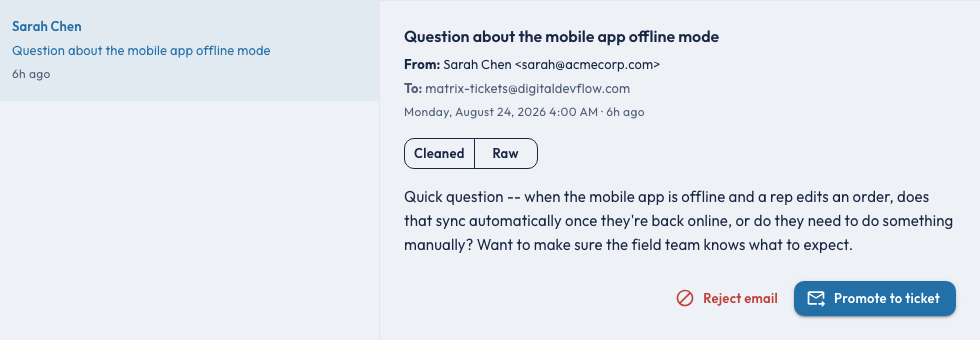
Clients email a project address, a ticket appears on the board. No portal login required for quick requests. Thread replies sync back.

Why DevFlow

Built for your size. Priced for your sanity.

Feature DevFlow Teamwork Linear ClickUp
Flat monthly pricing (no per-seat)
Built-in client portal
Client approval workflow
Project budget & retainer tracking
QuickBooks integration
Email-to-ticket
Built for dev consultancies

Competitors charge $10–$26/user/month. With a 5-person team, that's $600–$1,560/year before it scales. DevFlow is one flat price.

Pricing

Simple pricing. No surprises. No seat math.

One price. Your whole team.

Early adopter offer: 10% off your first year

Use code EARLYBIRD at checkout

Starter

For solo consultants or small teams getting started.

$49 /month
  • Up to 3 active projects
  • Kanban boards + time tracking
  • Client portal (up to 2 clients)
  • QuickBooks export

Unlimited team members — price never changes.

14-day free trial · No charge until trial ends

Most Popular

Studio

For established shops running multiple client engagements.

$99 /month
  • Unlimited projects
  • Everything in Starter
  • Client approval workflow
  • Project budgets & retainer tracking
  • Email-to-ticket
  • Priority support

Unlimited team members — price never changes.

14-day free trial · No charge until trial ends

Enterprise

For larger teams needing dedicated support and onboarding.

Custom
  • Everything in Studio
  • Custom onboarding
  • SLA support
  • Custom integrations
  • Dedicated account manager

Unlimited team members — price never changes.

Contact Us

Why We Built This

Born from the same frustrations you're dealing with today.

“We were duct-taping Planner, TrackingTime, and shared drives together — and still copying ticket notes into client emails. We built DevFlow because no tool out there was designed for a shop our size. Three tools became one, and our invoicing finally runs itself.”

FAQ

Questions we've already answered.

Nothing. DevFlow uses flat monthly pricing — your bill doesn't change when you hire or add a contractor.

No. Client portal access is included in your plan. Your clients get their own login at no extra cost.

You map your DevFlow clients to your QBO customers once. After that, you can export time data as draft invoices with one click. DevFlow pushes the hours; you finalize rates and send the invoice in QuickBooks.

Yes — that's exactly who it's built for. Most competitors are designed for 50-person agencies. DevFlow is optimized for small dev consultancies where one person wears multiple hats.

No. DevFlow has separate internal and customer-facing comment threads on every ticket. Clients only see what you explicitly post to their thread.

If you bill clients on a monthly retainer, DevFlow tracks hours and dollars burned against that retainer, resets automatically each period, and alerts you at 75% and 90% burn — so you never blow past a budget without warning.

Those tools are built for agencies of 20–100 people and charge per seat. DevFlow is built specifically for dev consultancies of 2–10, has a flat monthly price, and includes features designed for client-facing work (approval workflows, intake templates, email-to-ticket) that most tools skip or charge extra for.

Ready to simplify
your client work?

Join the early access list. We'll reach out when your spot is ready.

No spam. No credit card. Just a heads up when you're in.